
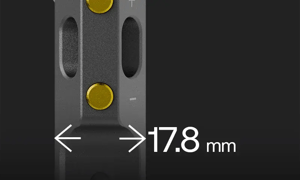
We Recovered an iPhone Inside an Explosion-Proof Case. Here's Why That Matters.
With Apple's iOS 27 expected to arrive in September 2026, we got our hands on a public beta to test its new functionality, and one specific feature caught our attention. A new recovery assistant that gives greater control on-screen, with no computer required.
That was interesting to us, because historically iPhone’s would need charging port access to reboot - a challenge when they live within a certified explosion-proof case. So naturally, we were keen to test it. Could we actually recover an iPhone with no access to the port at all?
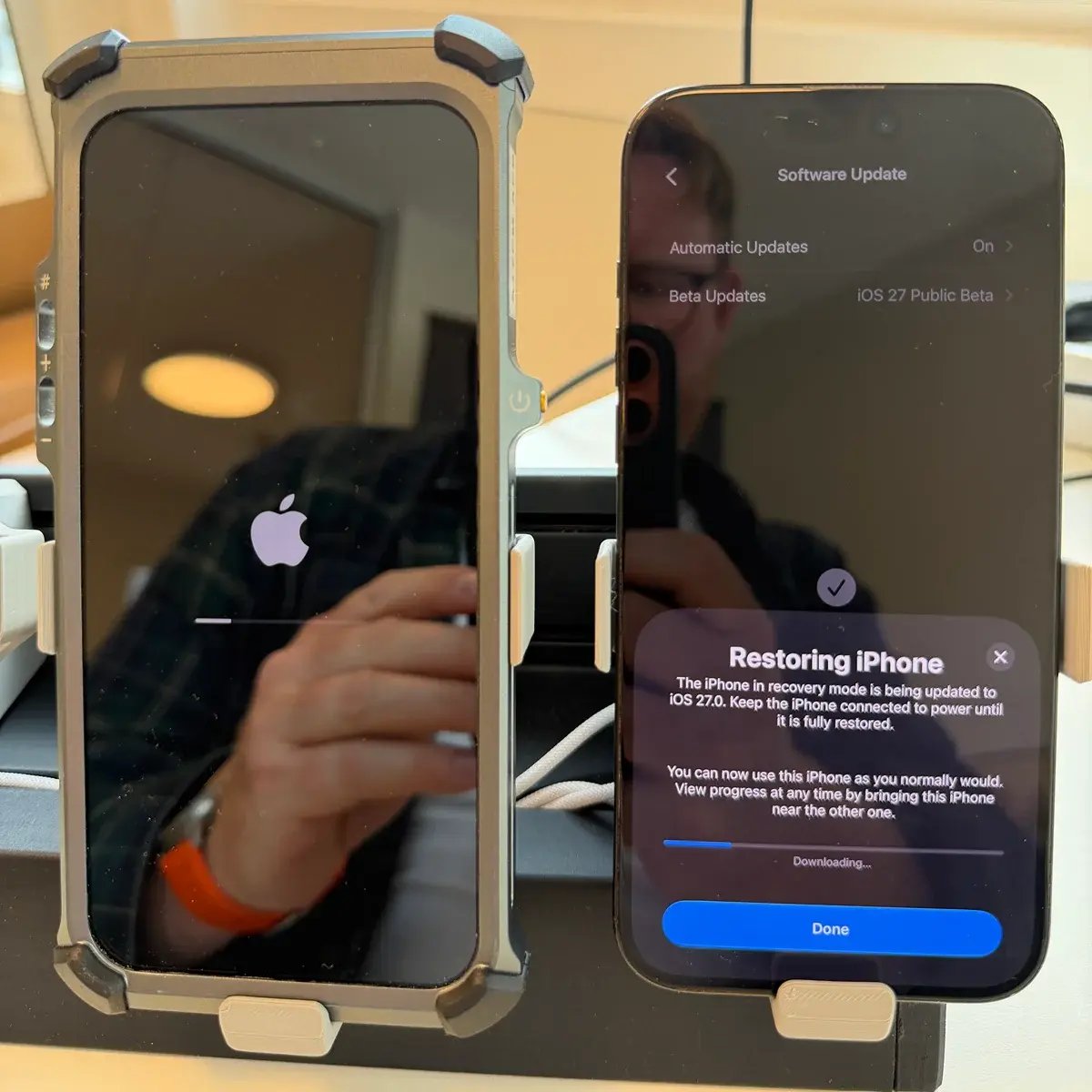
Yes, an iPhone 17 Pro Max inside an Xshielder explosion-proof case went from a recovery screen back to a fully working device on iOS 27. The case stayed shut. No cable, no laptop, no tools. Just a second iPhone held next to it as the assisting device.
Why we ran the test
Opening an explosion-proof case isn’t like popping open a consumer case. It’s a complex process that requires professional guidance. So, in the uncommon event an iPhone needs recovering, the options have typically been to use a spare unit while sending the existing iPhone back for fixing. If a spare isn’t available, or isn’t set up for immediate use, then that results in downtime. As any hazardous area manager knows, that's an expensive cost.
The question we cared about was whether all of it could be mitigated by using the touchscreen, with the case still assembled.
What we tested, and how
We used an iPhone 17 Pro Max in an Xshielder explosion-proof case on the iOS 27 public beta. Assisting, we had an iPhone 16 Pro Max, with no case, on office Wi-Fi. The iPhone 17 Pro Max remained in the case throughout the entire process.
To begin the process, we held the side button to boot up the recovery screen. We chose ‘Software Update’, and pulled iOS 27.0 down through the second phone. We went from the recovery screen to a booted, usable device, in roughly two hours.
Apple's on-screen message recommended to keep the device connected to power until the restore finishes. Since Xshielder’s cases are built for wireless charging, we placed it on a MagSafe charger. No access to the charging port required.
A few things worth mentioning for transparency:
-
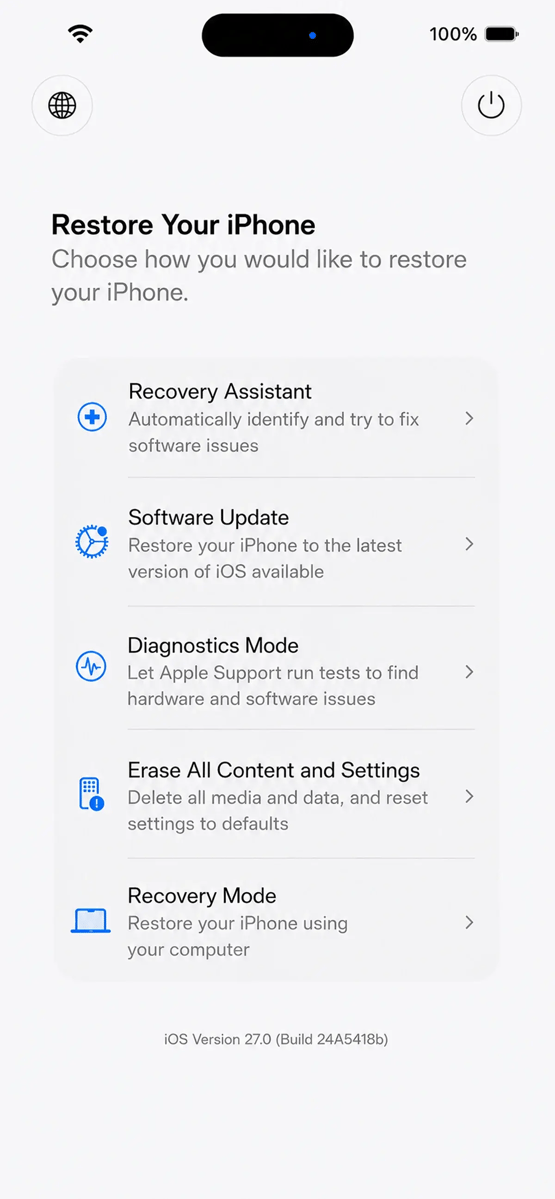
We ran the Software Update path only, so what follows about the other four options describes what the screen offers rather than a test result.
-
This was a bench test in our workshop, not in a hazardous area.
-
The assisting phone has to be physically close, so this saves the trip to the workshop, but not the visit to the device.
What's new with iOS 27
Wireless restore isn't new. Apple has documented restoring an iPhone or iPad with a nearby device since well before iOS 27, and the assisting device only needs iOS 18 or later. Recovery Assistant landed in iOS 26.
What iOS 27 adds is the environment around all that. A recovery layer independent of the main OS, closer to what Apple silicon Macs have had for years. You can enter it on purpose by holding the side button on boot, instead of only landing there when a device fails to start. Diagnostics runs on the device.
So, while the pieces existed, iOS 27 gathers them into one place you can actively go to. For a phone that lives inside a certified case, that's an important update.
You also get battery percentage, a language selector and a power control, and it joins known Wi-Fi networks by itself. Four of the five options need no computer, which is essential when the nearest laptop might be a helicopter ride away.
The iPhone iOS 27 Recovery Assistant Interface:
What it changes for hazardous area fleets
This isn't a golden bullet; broken hardware is still broken hardware, and Diagnostics Mode gives a diagnosis, not a repair. But plenty of "dead" phones in industrial fleets are software states, and those are the ones that used to cost a week of shipping for a fifteen minute fix. Now, a supervisor with a spare iPhone in their pocket can complete a restore where the device already is.
If you’re an existing Xshielder user, then the good news is that all of this applies to the devices you already own. Every unit in the field gains it the moment your iPhone updates. Nothing bought, nothing swapped.
Which devices are covered
The recovery screen is broadly available across iOS 27. Nearby Device Recovery has its own list. Apple gives iPhone 17 models, iPhone Air, iPhone 16 models, iPhone 16e and iPhone 15 Pro models, plus recent iPad Pro, iPad Air, iPad mini and iPad generations, with the assisting device on iOS 18 or later. That covers our current range, including the iPhone 17 Pro Max, iPhone 17 and iPhone 16 Pro Max. One timing note, since iOS 27 is still in public beta. General release is expected in September 2026, though Apple hasn't confirmed a date as of late August.
Where this is heading
Wireless charging, eSIM, wireless restore, now on-device recovery. Apple keeps taking away the jobs only the port could do. While we're not saying the port is going away, the direction undoubtedly suits those who run iPhones in certified enclosures.
If you run explosion-proof iPhones in Zone 1 or Zone 2 and want to think through what this does to your spares and service planning, we're at ONS in Stavanger, Hall B, 24 to 27 August. Otherwise, get in touch or look at the full range.
Frequently asked questions
Can you restore an iPhone without opening its explosion-proof case?
Yes. We restored an iPhone 17 Pro Max to iOS 27 over the air using a nearby iPhone, with the case fully assembled throughout and no cable or computer involved.
Does the iOS 27 recovery screen work without a computer?
Four of the five options do. Only Recovery Mode needs one. Recovery Assistant, Software Update, Diagnostics Mode and Erase All Content and Settings all run on the device.
Which iPhones support wireless recovery from a nearby device?
Apple lists iPhone 17 models, iPhone Air, iPhone 16 models, iPhone 16e and iPhone 15 Pro models, along with recent iPad models. The assisting device needs iOS 18 or later.
How long does a wireless iOS restore take within an ex-proof case?
Ours took about two hours from recovery screen to working device on standard office broadband. Connection speed and device model will both move that number.
Does on-device recovery affect ATEX or IECEx certification for a hazardous area phone case?
No. It's a software capability inside iOS and has no bearing on the certification of the case or how it must be used in a classified area.