

Intrinsically Safe Tablets & iPads: How to Choose in 2026
Ask a field technician which tablet they would like take into a long day of inspections, and most will describe the one they already use at home. Ask which tablet they've actually been issued for Zone 1, and the answer is usually something completely different - something much heavier, slower and a few software generations behind.
That gap between the tablet people want and the tablet they are allowed to carry has shaped the intrinsically safe tablet market for years. The certified devices are rugged and well proven, but they are built on mid-range Android hardware with 8-inch screens, specified for a generation of field work that has since moved on. Meanwhile no iPad, Samsung Galaxy Tab or other consumer tablet is certified for hazardous areas as it comes out of the box.
However, in 2026 that gap is finally closing. You can now put consumer-centric devices, including the current iPad Pro, inside ATEX-certified explosion-proof cases. In this guide we compare this approach vs dedicated legacy devices, and discuss which wins on capability, cost and support life, helping you to work out which one fits the work your teams actually do.
The Two Main Options in 2026
| Dedicated intrinsically safe tablet | iPad Pro in an explosion-proof cover | |
|---|---|---|
| Best for | Sites that specify intrinsic safety, and roles where weight matters most | Drawings, inspections, digital twins and data-heavy field work |
| Choose it if | Your site standard names intrinsic safety, or the work is mostly forms, checklists and photos | Your teams need full-size drawings, live data and a modern camera in Zone 1 |
| Certification | Intrinsic safety, Zone 1/21 and 2/22, some models also Division 1 | ATEX explosion-proof, Zone 1/21 and 2/22 |
| Display | Usually 8-inch LCD | 11-inch Tandem OLED, 1,600 nits peak HDR |
| Processor | Mid-range Android chipset | Apple M5 or M4 |
| Rear camera | Commonly 13 MP, no LiDAR | 12 MP Pro camera with LiDAR and 4K video |
| Operating system | Android, often under Samsung Knox | Current iPadOS |
| Unlock | PIN or fingerprint | Face ID |
| Software support | Vendor dependent | Historically 6 to 7 years of iPadOS upgrades |
| Weight* | Lighter, no separate enclosure | 1,350 g |
| Temperature | Typically -20°C to +55°C | Ex rating -20°C to +45°C, iPad rated 0°C to 35°C by Apple |
| Typical unit price | Roughly EUR 3,000 to 4,000 | Higher, a certified cover plus a standard iPad Pro |
| Value at refresh | Low, sealed certified unit | iPad can be removed for trade-in or resale |
| Next step | Compare the two in detail | Request a quote View the explosion-proof iPad Pro case |
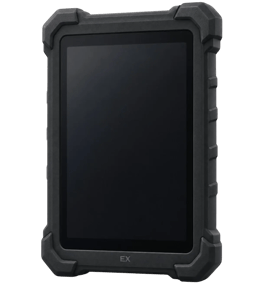
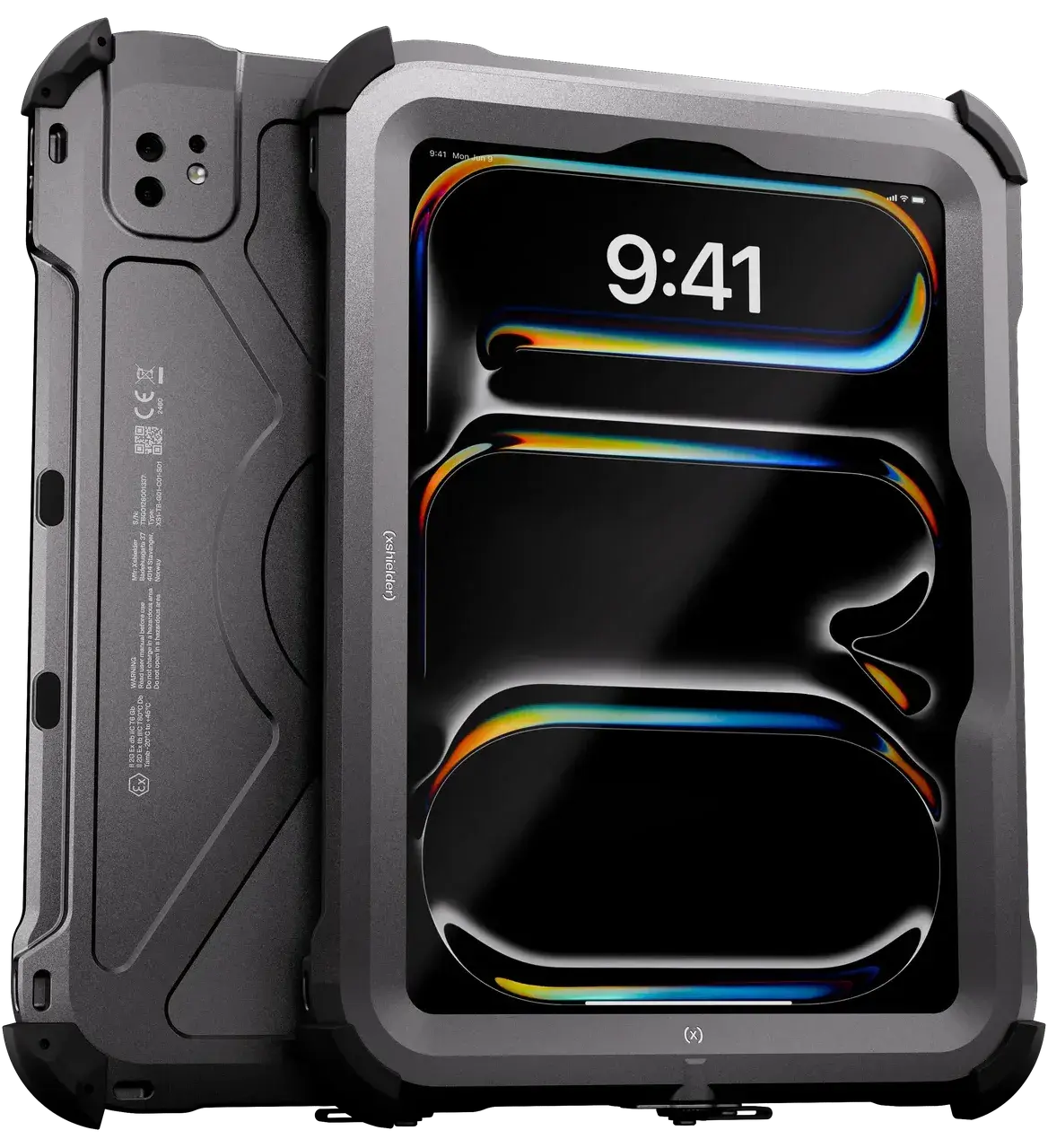
*Weight for the iPad Pro is the complete assembly in its Xshielder cover. Dedicated tablet figures are typical of current models, so check the datasheet for the exact unit.
Screen, processor and software support decide most tablet deployments, because together they set which jobs the device can take on and how long it stays useful in the fleet. Weight and protection concept are where the dedicated tablet makes its case, so we start there.
Dedicated IS Tablet vs an iPad Pro in an Ex-Proof Case
The argument for a dedicated intrinsically safe tablet
Dedicated tablets are typically rugged devices, built on Android software. Their two strongest arguments are weight and certification.
Because the protection is designed into the electronics, there is no separate enclosure to carry. That makes a dedicated tablet the lighter option over a long shift, which counts for a lot when a job involves ladders, stairways and confined access.
They also have intrinsic safety built in. Some sites write intrinsic safety into their standards by name, and in those cases a device protected by an explosion-proof enclosure won't meet the specification, no matter if it's approved for Zone 1. If your site has that requirement, a dedicated tablet is the route to take.
The cost of that design is capability. The same energy limits that provide the protection constrain processing, display and camera hardware, which is why most units still run 8-inch screens on mid-range chipsets. Our breakdown of the six features an intrinsically safe tablet needs for Zone 1 sets out where the current generation falls short of modern field work.
The argument for an iPad Pro in an explosion-proof cover
With the Xshielder iPad Pro, the iPad inside is unmodified, meaning everything that makes it Apple's most capable tablet comes with it into the field. That includes:
Laptop-class processing.
The M5 chip opens large CAD files quickly, renders digital twins without lag and keeps EDDL configuration software responsive through complex parameter updates, so the technician's attention stays on the task.
A screen sized for engineering documents.
The 11-inch Tandem OLED display shows a full section of a P&ID without constant zooming, reaches 1,600 nits peak HDR brightness for direct sunlight, and has room for two applications side by side, so a drawing and a work order no longer take turns.
Face ID instead of passcodes.
Authentication takes a glance, so gloved hands never have to type. On iPad, Face ID needs to see the mouth and nose, so crews in respirators will still need a passcode fallback.
A Pro camera with LiDAR.
A 12MP sensor and 4K video capture inspection evidence, and the LiDAR scanner adds spatial capture and AR overlays anchored to real equipment.
An interface people already know.
Most of the workforce uses an iPhone or iPad outside work, so training time is short, and IT manages the fleet through Apple Business Manager and the same MDM tooling used across the business.
Years of support and value at the end.
iPads have historically received six to seven years of iPadOS upgrades and close to nine years of security updates. The Xshielder cover is replaceable, so at refresh the iPad can be removed for trade-in or resale and part of the original spend comes back.
How Much Do Intrinsically Safe Tablets Cost?
Dedicated intrinsically safe tablets typically list at roughly EUR 3,000 to EUR 4,000 per unit, with some specialist and older models well above that. An iPad Pro in a certified cover generally costs more per unit, since the price covers a certified enclosure plus a standard iPad Pro.
There are good reasons for the gap. A dedicated tablet is built on mid-range components, while the iPad Pro is Apple's most capable tablet, with the M5 chip, a Tandem OLED display and LiDAR. The more useful question is what each device gets done once it is on site.
Paying less for a device that does less
A cheaper tablet that struggles to open a full P&ID, run the digital twin or keep up with an EAM platform rarely saves money in practice. The work still gets done, just another way, through printed drawings, trips back to the control room, or records reconstructed at the end of the shift. Each of those carries a cost that never appears on the purchase order, and in regulated industries late records become a problem at audit.
Underpowered devices also encourage workarounds. If a technician can't capture a usable photo or read a drawing on the certified device, the temptation is to reach for an uncertified personal phone, and providing a tablet people want to use is the most reliable way to reduce that.
Total cost of ownership
The relevant comparison covers the full deployment window. That includes hardware and enclosure, application licensing, training, spares, the cost of forced replacement if a device falls out of software support, and residual value at refresh. Our breakdown of intrinsically safe device costs and why support life is key goes through each factor in detail.
| Dedicated intrinsically safe tablet | iPad Pro in an explosion-proof cover | |
|---|---|---|
| Unit price | Lower, roughly EUR 3,000 to 4,000 | Higher, cover plus a standard iPad Pro |
| Jobs it handles well | Forms, checklists and photos | Full-size drawings, digital twins, EDDL and AR |
| Software support | Vendor dependent | Historically 6 to 7 years of iPadOS upgrades |
| Training | A separate platform for many teams | iPadOS, already familiar to most staff |
| Fleet management | Android enterprise tooling | The same Apple MDM as the iPhone fleet |
| Value at refresh | Low, sealed certified unit | iPad removed for trade-in or resale |
For most buyers the decision comes down to a simple trade. You can pay less for a device that handles part of the job, or pay more for one that handles all of it and stays useful for longer. Whichever way you lean, ask each supplier to state the software support end date in the quotation, since a fleet that outlives its support window brings recertification, retraining and replacement costs that rarely make it into the original business case.
How to Choose a Zone 1 Tablet
Procurement decisions tend to go wrong when the device is assessed in isolation from the work it has to support. These are the questions worth settling before you request a quote.
1. Confirm your zones and certification
Start with the zone, gas group and temperature class, since every other decision follows from them. A device certified for Zone 1 also covers Zone 2, but not the reverse. Check whether your site standard names intrinsic safety specifically, ask for the certificate number and notified body, and confirm that the certificate lists the exact tablet model. Our ATEX marking guide explains how to read the label. If your operation needs IECEx or Division 1 approval as well as ATEX, confirm that too. Our guide to ATEX, IECEx and zone classifications explains what each zone permits.
2. List the jobs the tablet has to do
Write down the most demanding workflow the device will carry, whether that is reading full-size drawings, running a digital twin, configuring HART instruments or completing inspection reports on site. Specify the hardware against that workflow, because a device chosen for the simplest task tends to struggle with the hardest one.
3. Check the enclosure preserves the device
If you choose an enclosure, it is only as good as what it leaves intact. Require no visible loss of display clarity, touch response across the full screen, working stylus input, and Face ID that works through the housing in the PPE your crews wear.
4. Weigh the conditions on site
Compare the ambient temperature range of both the certificate and the device against your coldest and hottest working conditions, which matters most offshore in winter. Test the full assembly across a site for a shift, and read the certificate's conditions of use, which commonly cover charging, opening the device and mechanical impact.
5. Plan for IT and support life
The device should enroll in your existing MDM platform, whether that is Microsoft Intune, Jamf, SOTI or another system, and receive security updates when the manufacturer releases them. Get the support end date in writing before you compare prices.
6. Decide between a tablet and a phone
Rounds, quick interventions, photo evidence and communication are often better served by a device that goes back in a pocket the moment both hands are needed for a ladder or a valve. A large-screen phone such as the iPhone 17 Pro Max in an explosion-proof cover handles a permit-to-work form or a section of a schematic comfortably and carries the strongest inspection camera in the range.
Work led by drawings, planned maintenance, inspection reporting and AR guidance is where an 11-inch screen earns its place. Many operations run both, and since the iPad and iPhone sit in the same Apple estate, they share applications, management tooling and security policy. Our guide to intrinsically safe and explosion-proof phones covers the phone side, our intrinsically safe iPhone guide compares the iPhone options, and our 2026 buyer's guide and checklist brings both together.
Field Use Cases for a Zone 1 iPad
Certification gets a device into the environment. What it achieves there depends on the applications it runs and whether the hardware can run them properly. These are the workflows where an 11-inch iPad Pro makes the clearest difference.
Reading and redlining engineering drawings
A full P&ID section stays legible without constant zooming, and Apple Pencil support allows precise redlines that sync back to the engineering office. Read more on navigating complex engineering drawings on a Zone 1 iPad.
Field device parameterization
EDDL interfaces, diagnostic curves and nested parameter menus fit on screen without scrolling, which reduces the risk of misconfiguration during HART and fieldbus work. See our guide to safe and precise parameterization with ATEX Zone 1 iPads.
Digital twins and live analytics
The M5 chip renders live 3D asset models without lag, and LiDAR anchors AR overlays to the equipment in front of the operator. Learn more about running digital twins on intrinsically safe tablets.
Work execution and contemporaneous records
With the full work order visible and Face ID in place of passcodes, recording the task as it happens becomes the easiest option, which supports ALCOA+ data integrity. Read about optimizing work execution in Zone 1 with an explosion-proof iPad.
Crew collaboration and briefings
An 11-inch screen is large enough for a crew to gather around the same drawing or isolation boundary, so everyone works from the same picture. See how tablets support collaboration with ATEX Zone 1 iPads.
Sharing tablets across a shift
Multi-user iPad setups let one certified device serve several workers while keeping each person's data separate. Find out more about sharing intrinsically safe tablets across users.
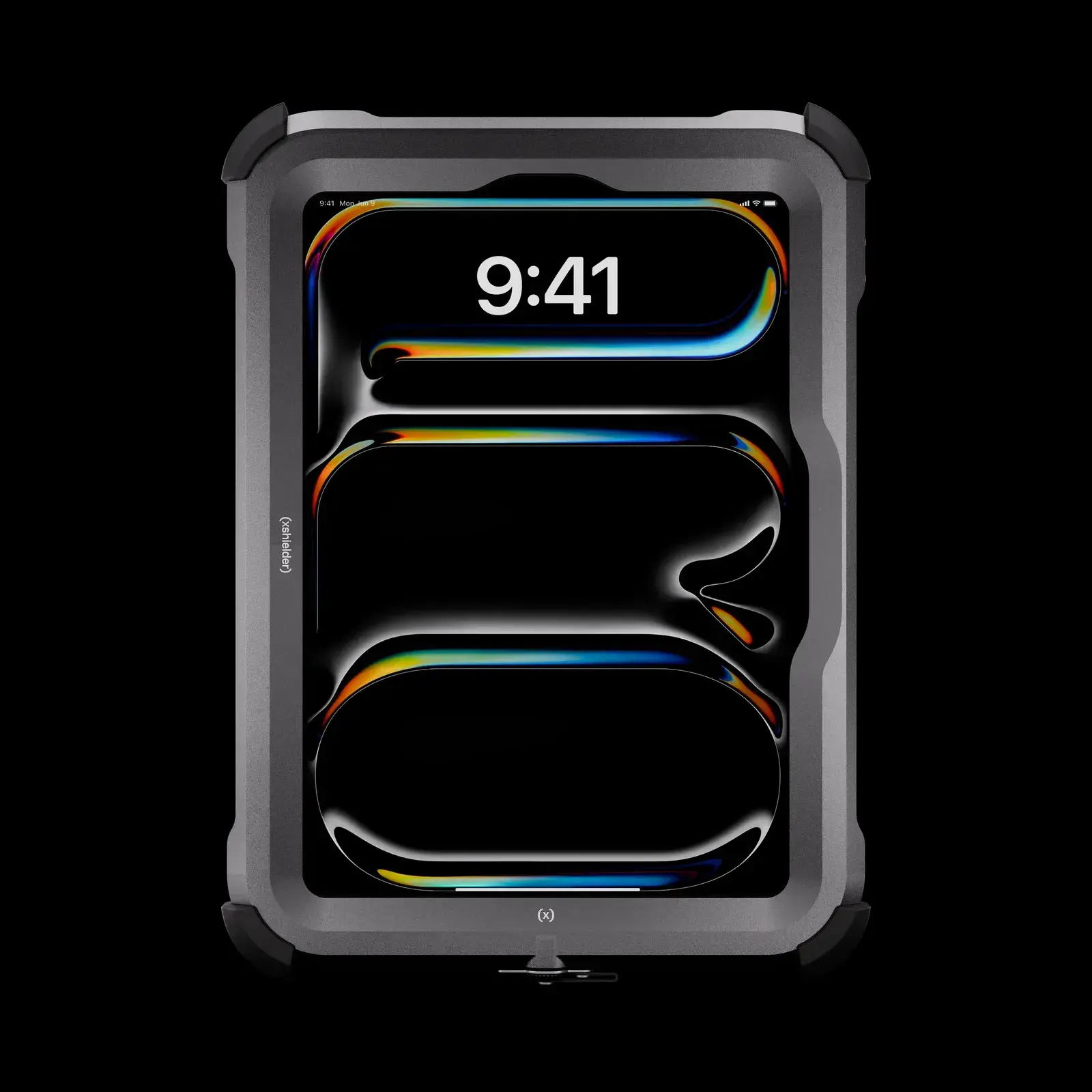
If those workflows sound like your field teams, take a look at the Xshielder iPad Pro 11 inch or talk to our team about your sites.
Are Any Consumer Tablets Intrinsically Safe?
One of the most commonly asked questions we hear is whether any consumer tablet is intrinsically safe. The answer is a straightforward 'no'. No consumer tablet is certified for hazardous areas, as sold. The devices that carry a Zone 1 rating are either purpose-built tablets certified as complete units, or standard tablets inside a certified enclosure that is assessed together with the device. Here is how that applies to the brands people ask about most.
Are Apple iPads intrinsically safe?
No iPad is intrinsically safe or ready for hazardous area use out of the box. An iPad Pro can only be used in Zone 1 or Zone 2 when housed inside an explosion-proof case, such as the Xshielder iPad Pro 11 inch.
Are Samsung tablets intrinsically safe?
Again, standard Samsung Galaxy Tab models, including the rugged Galaxy Tab Active series, carry no hazardous area certification. Zone 1 versions do exist, but they are separately certified products built on Tab Active hardware, with their own model numbers and Ex markings.
Is there an intrinsically safe Android tablet?
Yes, in fact most dedicated intrinsically safe tablets run Android, and they are certified as complete devices. We compare them with an iPad Pro in an explosion-proof cover earlier in this guide.
Are Google Pixel tablets intrinsically safe?
No - Google's Pixel Tablet carries no hazardous area certification, and we are not aware of a Zone 1 version built on it.
Why you can't use a standard tablet in a hazardous area
Standard consumer tablets can't be used in Zone 1 or Zone 2 areas, since they contain a lithium-ion battery and circuits that can produce sparks or hot surfaces under fault conditions. Taking one into a classified area breaches site rules and creates a real ignition risk. A rugged case or a high IP rating doesn't change that, a point we cover in our article on rugged versus intrinsically safe devices.
Intrinsically Safe vs Explosion-Proof Tablets
The two terms are used interchangeably in everyday conversation, and “intrinsically safe” has become the common name for any device approved for Zone 1. They describe opposite engineering approaches, though, and the difference occasionally decides what you are permitted to deploy.
An intrinsically safe tablet, marked Ex ia or Ex ib, limits the electrical and thermal energy available inside the device so that, even under fault conditions, it can't produce a spark or surface temperature capable of igniting the surrounding atmosphere. An explosion-proof or flameproof enclosure, marked Ex db, works the other way around. It accepts that ignition may occur inside and contains it in a housing built to withstand the pressure and stop flame reaching the atmosphere outside. The enclosure is not sealed against the surrounding atmosphere, which is a common misunderstanding, since its job is containment.
|
Feature |
Intrinsically safe |
Explosion-proof |
|
Approach |
Limits ignition energy |
Contains ignition |
|
Zone suitability |
Zone 0, 1, 2 (depending on level) |
Zone 1, 2 |
|
Hardware performance |
Limited by design |
Full performance possible |
|
Form factor |
Lighter, simpler |
Heavier, enclosure based |
|
Typical marking |
Ex ia or Ex ib |
Ex db |
Both concepts are approved for Zone 1 and Zone 2, so for most sites the distinction doesn't change what you can deploy. It becomes decisive if any of the work happens in Zone 0, or if a site standard names intrinsic safety specifically. Our guide to intrinsically safe vs explosion-proof protection covers the engineering in more depth.
What counts as a Zone 1 area?
Hazardous areas are classified by how often an explosive atmosphere is likely to be present. Zone 0 covers areas where it is present continuously or for long periods, Zone 1 covers areas where it is likely to occur occasionally in normal operation, and Zone 2 covers areas where it is unlikely and short-lived if it occurs. Zones 20, 21 and 22 follow the same logic for combustible dust. Typical Zone 1 locations include offshore platforms, refinery process areas, chemical plants, fuel terminals and solvent handling areas in pharmaceutical manufacturing. For a closer look at how the two zones differ, see our comparison of Zone 1 vs Zone 2.
Give Your Teams the Tablet They Want to Use
For years, the tablet your technicians wanted and the tablet they were allowed to carry into Zone 1 were two different devices. The Xshielder iPad Pro 11 inch brings them together, with Apple's most capable tablet certified for Zone 1/21 under ATEX. Tell us which zones your crews work in and what the device needs to do, and we can help you find the right mix of tablets and phones for your sites. Get in touch for a quote.
Frequently Asked Questions
Is there an intrinsically safe iPad for Zone 1?
No iPad is intrinsically safe on its own, but an iPad Pro inside an ATEX-certified explosion-proof case, such as the Xshielder iPad Pro 11 inch, can be used in Zone 1 and Zone 2 areas.
How much does an intrinsically safe tablet cost in 2026?
Dedicated intrinsically safe tablets typically cost roughly EUR 3,000 to 4,000 per unit. An iPad Pro in a certified cover costs more per unit, so total cost of ownership across the deployment is the more useful comparison.
Why choose an iPad over an intrinsically safe Android tablet for Zone 1?
An iPad Pro offers a larger display, faster processing and LiDAR for demanding field workflows, and it stays inside the same Apple estate as the rest of the business. Dedicated Android tablets are lighter and carry intrinsic safety certification, which some sites require.
Can you replace the iPad without replacing the explosion-proof cover?
Yes. The Xshielder cover is replaceable, and the iPad can be removed by Xshielder for trade-in or resale at upgrade time.
Does a Zone 1 certified tablet also cover Zone 2 areas?
Yes. Equipment certified for Zone 1 can also be used in Zone 2, while equipment certified only for Zone 2 can't be used in Zone 1.
Does Face ID work with gloves and PPE in a Zone 1 area?
Face ID works with gloves because it needs no touchscreen input, but on iPad it must see the mouth and nose, so respirators and similar face-covering PPE require a passcode fallback.