
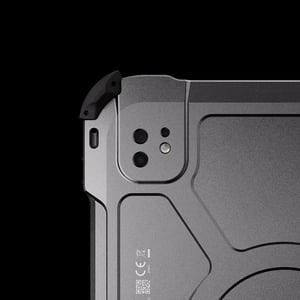
Precision and Safety: ATEX Zone 1 iPads for Parameterization
The operational integrity of a modern refinery or chemical plant depends on the precision of its field instrumentation. Parameterizing a control valve positioner or a multi-variable pressure transmitter is one of the most cognitively demanding tasks a field technician carries out.
Hardware choice shapes how reliably that work gets done. Processing power decides whether software environments such as EDDL render instantly or stall at the moment a value is committed. Display size decides whether a technician sees a full diagnostic curve or a keyhole view of the same data. Certification decides whether the device can legally enter the area at all. An explosion-proof iPad such as the Xshielder iPad Pro 11 inch answers all three, reducing the risk of misconfiguration at the point where the consequences are most severe.
Why Configuration Work in Hazardous Zones Is So Cognitively Demanding
Parameterization is the process of setting a field device's operational variables so they match the requirements of a specific industrial process. It involves a detailed digital exchange between the technician and the instrument, usually over protocols such as HART, Foundation Fieldbus or Profibus-PA. Intelligent devices of this kind report far more than a single process variable, so the technician manages several simultaneous inputs, watches live feedback and works down through deep, nested menus.
The drivers that interpret this data, including Electronic Device Description Language (EDDL), need a platform that can present complex information clearly. Tolerance for error in Zone 1 is effectively zero, so the interface used to manage those variables carries as much weight as the expertise of the engineer using it. A device with the processing headroom of the iPad Pro 11 inch, running Apple's M5 or M4 silicon, loads heavy driver files quickly, which stops lag from turning into an input error.
The Keyhole View: What Happens When the Screen Is Too Small
Traditional handheld communicators tend to offer small, often monochrome screens that squeeze complex data sets into a keyhole view. That restricted visibility creates its own failure modes on site. A technician scrolling through a long list of variables on a cramped display can lose context or read a value from the wrong line.
The practical risks are specific: a valve configured incorrectly because the full graphical diagnostic curve was never visible, or a live status alert missed because it sat behind a nested menu. Compressed interface elements also raise the chance of an accidental input, particularly during high-stress work or when the technician is wearing bulky gloves. Navigation errors of this kind can end in the incorrect configuration of critical sensors and control systems.
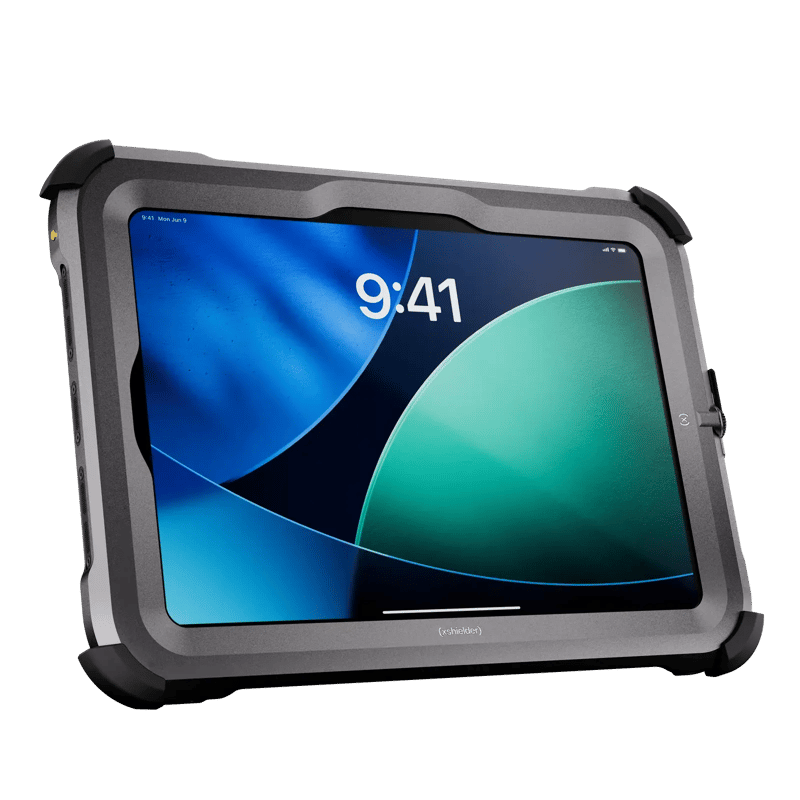
Screen Real Estate as a Safety Requirement for an Intrinsically Safe Tablet
Moving to a tablet-sized device addresses the visibility problem directly. An intrinsically safe tablet gives the screen area needed to hold primary process variables, secondary variables and historical alarm logs in view together. That holistic picture of device state allows valve signatures and echo curves for level sensors to be displayed at the same time, and an 11 inch display leaves room to keep a second application open alongside the configuration tool rather than swapping between them. Screen size is one of several features an intrinsically safe tablet needs for Zone 1.
The Pro camera system on current iPad models also opens up context-aware configuration, pairing LiDAR with a 12MP sensor and 4K video capture. A technician can point the tablet at a specific piece of equipment and, with software that supports it, have the correct configuration file pulled up from what the camera recognizes, then record the as-found and as-left state without reaching for a separate camera. That reduces the risk of configuring the wrong valve, a familiar source of human error on large plants. A large display is what makes this augmented reality workflow practical in the field, because the worker needs to see the physical asset and the digital overlay clearly at once.
Leveraging the iPad Ecosystem for Field Device Management
The hardware is the foundation, and much of the value of an intrinsically safe iPad comes from the application ecosystem around it. Apps such as DevCom and SmartBlue turn the tablet into a universal communicator. DevCom supports complete HART device configuration, with guided procedures for calibration and self-tests.
Where an instrument supports Bluetooth, wireless configuration allows troubleshooting in awkward or particularly hazardous locations, where making a physical connection would put the technician at risk. Because most workers already know the iPad interface, complex applications are quicker to navigate, which lowers the training burden across the workforce. Configuration records can also be exported into Enterprise Asset Management systems, so the as-configured state of the plant is reflected accurately in the central database, which matters for regulatory compliance.
The Economic Case for Explosion-Proof iPads in the Field
Alongside safety and usability, there is a clear financial incentive for adopting high-performance mobile technology in hazardous areas. Organizations that deploy iPads in the field can see a return on investment inside twelve months, driven by substantial reductions in Mean Time to Repair and a decrease in unplanned downtime. Widely quoted figures put the cost of that downtime at upwards of $100,000 an hour for a large process facility.
A mobilized maintenance process keeps technicians in the field solving problems rather than sitting in an office working through administrative tasks. Capturing acoustic data and thermal images on the tablet lets them identify early-stage failures before they escalate. That shift toward predictive maintenance depends on having the processing power and connectivity of a modern tablet available at the point of work.
The service life of the fleet belongs in the same calculation. An iPad Pro carries roughly six to seven years of iPadOS upgrades and close to nine years of security updates, so configuration apps stay current and compatible for far longer than proprietary handhelds typically manage. A replaceable cover extends that further, since the iPad can be taken out for trade-in or resale at upgrade time and some of the original spend recovered rather than written off with the housing.
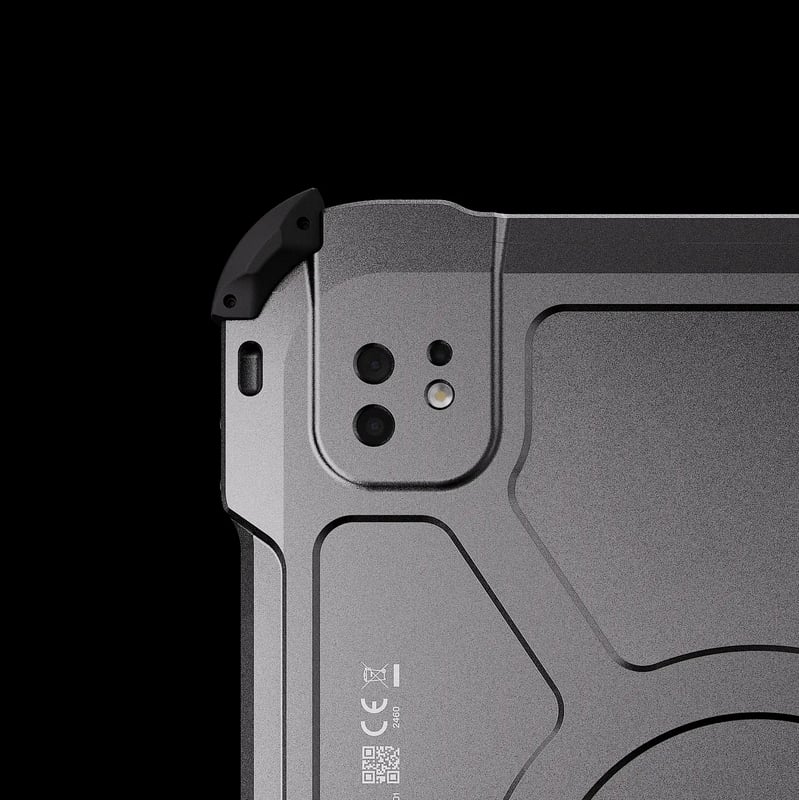
Selecting the Right Enclosure for ATEX Zone 1 Compliance
Software and hardware provide the interface, and a certified protective enclosure is what allows a standard device into a hazardous area at all. Using the power of an iPad Pro in a refinery or terminal means housing it in explosion-proof protection that meets the ATEX requirements for the zone in question. Intrinsic safety and explosion-proof housings are both recognized routes into Zone 1, and our complete guide to intrinsically safe tablets and iPads works through the difference in detail.
Certification for the zone is the starting point, and the practical qualities decide whether the enclosure works in service. Weight determines whether a technician is willing to carry the device through a full shift, and the design has to leave the touchscreen, cameras and ports usable while the housing stays sealed. Xshielder designs its explosion-proof covers around exactly those constraints, keeping weight low and handling simple compared to existing market alternatives so the enclosure stays out of the technician's way. That now covers tablets as well as phones: the Xshielder iPad Pro 11 inch is the first iPad Pro built for hazardous area work, alongside the existing explosion-proof cases for the latest iPhone models. Pairing premium consumer hardware with certified explosion protection lets the connected worker operate with precision and safety in the world's most demanding industrial environments.
Upgrade Your Field Safety Standards
Configuration work in Zone 1 goes better when the technician is holding hardware they already know how to use, inside protection certified for the area. See the Xshielder iPad Pro 11 inch for the parameterization and diagnostic work described here, or browse the full Xshielder explosion-proof range to see how premium consumer devices are brought into hazardous areas.
Contact Xshielder to request a quote for your Zone 1 deployment.
Frequently Asked Questions
Can an iPad be used for HART parameterization in a Zone 1 area?
Yes, provided it is carried in a protective enclosure certified for Zone 1, such as the Xshielder iPad Pro 11 inch, and paired with a HART communication app such as DevCom.
What is the difference between an intrinsically safe tablet and an explosion-proof enclosure?
Intrinsic safety works by limiting the electrical and thermal energy available inside the device so it cannot ignite the atmosphere. An explosion-proof enclosure takes the opposite approach, containing any ignition inside a housing built to withstand it and to stop flame reaching the surrounding atmosphere.
Why does screen size matter when configuring field devices in hazardous areas?
A larger display shows diagnostic curves, secondary variables and live alarms together, which reduces the misreadings and accidental inputs that small keyhole screens encourage.
Which iPad features are most useful for parameterization work in the field?
M5 or M4 processing power for heavy EDDL driver files, an 11 inch high-resolution display for full diagnostic curves, and LiDAR and camera hardware for context-aware configuration.
Is Bluetooth configuration of field instruments allowed in Zone 1 hazardous areas?
Bluetooth configuration is common in Zone 1, provided both the instrument and the mobile device carry certification appropriate to the zone and site procedures permit it.